Showing posts with label Google. Show all posts
Showing posts with label Google. Show all posts
Monday, 6 November 2017

Thursday, 13 July 2017
Online Digital Fundamental Certification - Learn Digital With Google
 |
| Digital Unlocked Certificate |

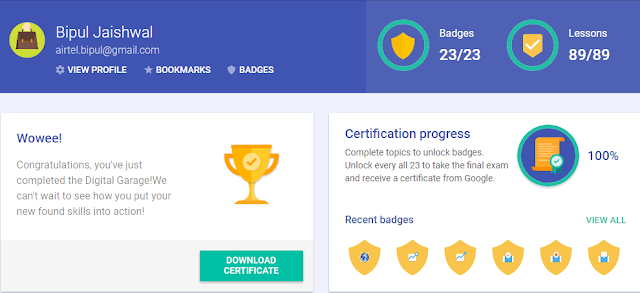
Before you take an online fundamental exam. You must complete 23 badges to complete the exam - Learn Digital with Google - In Digital Unlock tutorials, Google provides a tutorial video and after writing SMALL Assessment, After a new assessment, the finishing of every assessment is open to the new level of the game. Once approved further 23 assessments, you will be eligible to take online fundamental exams.
 |
| Digital Unlocked |

Take the exam now .. Turn on> Get certificates.
Have you prepared every tutorial in digital garage ready to graduate? Take the final test to earn your certificate.
If you liked the content, please subscribe the newsletter to stay up to date with latest news.
Thursday, 25 May 2017
Top 10 SEO settings for websites or blogs
 |
| Top 10 SEO settings from Google |
In an effort to promote good SEO practices, which will be beneficial to the real people, Google has provided very useful information for website owners. Is a comprehensive resource that is a comprehensive search engine optimization starter guide. Since it is too long, we have taken the liberty to summarize the top 10 most important points for you.
1. Create page title that:
- Describe the page content accurately.
- Unique by page.
- are short but descriptive
2. Use the "descriptive" meta tag
The description meta tag summarizes Google and other search engines about each page. This content is generally not used for ranking purposes, but it is still important because it is usually a descriptive snippet of your site Is displayed in the search results.
It's important for:
1. Summarize the contents of the page correctly.
2. Use unique details for each page.
3.Invite or entice the online job seeker to see the page.
3. Improving the structure of your URL
Clear, readable URL search engines help you understand the context of your page. They help real people make decisions about the content of the page, and whether it is what they are looking for or not.
Make sure your URL:
• Related to Page Content
• Keywords (such as job title) are included in
• Short (better for a long time)
• Easy to read (i.e. proper sentence structure).
• Create a simple directory structure
• Skip dynamic parameters when possible (like "type = blog and id = 44").
4. Make it easy to navigate your site
Navigation to search engines is very important, through pages in the hierarchy, a straightforward hierarchy and clear internal links will make it easy for both search engines and users to find their content.
- Allow users to easily backtrack them by providing 'breadcrumb lists' (like "Home> Resource> Articles> Blog").
- Allow the possibility of extracting part of the URL (such as mycompany.com/jobs/atlanta/softwarejob1 for use- if you remove the last piece, the result is a real page on mycompany.com/jobs/atlanta Should return / - with that page will list all jobs in Atlanta)
- Prepare two sitemaps: one for the user, and one for the search engine.
- Create a naturally flowing hierarchy
- Use mostly text for navigation; Avoid image links or complex JavaScript menus
5. Offer quality content
When they provide quality content, search engines like Google Rank sites are better. Estimate the differences between the understanding of online users of your subject, and provide unique, unique content. For career sites, it may include details of employment and work environment, culture, etc.
The material is considered high quality when it is:
- Exclusive (like does not copy content from other sites)
- Useful and informative (think 5 W, answer questions)
- More valuable and useful than other sites (look at competitors)
- Reliable (e.g., testimonials)
- Engagement (such as Pictures, Widgets, Interactive FEATURES)
- Error-free (spelling, grammar)
6. Write better anchor text
Anchor text is a link readable text, as it appears on a page, such as "Look at our available jobs." The appropriate anchor text makes it easy to express what the content is connected to.
1. Choose descriptive text - Do not use "click here".
2. Collapse
3. Format the format anchor so that they can be easily searchable (i.e. underline them and make font blue)
4. Think also about anchor text for internal links.
For example: If you have a list of open jobs, which should be the title of each open job, each link on the job description page, anchor text should ideally be.
7. Optimize your use of images
You can provide image-related information using the "alt" attribute in HTML.
1. Use concise but descriptive file names and optional text.
2. While using images in the form of the link, make alternate text.
3. Explain an image sitemap file.
8. Use appropriate title tags
Use the title tag to emphasize important lessons. The title tags are: <h1>, <h2>, <h3>, etc. They are used to indicate headers and sub-headers on the page, and to establish a clear hierarchy. This is different from the HTML <head> tag, which is included at the top of each HTML document
Your <h1> is the most important header or statement on the web page. Everything on the page should be related to <h1> your <h2> is your second most important description, and so on. Think of it as an outline of an essay. What is the essay about it, and then what is the paragraph about it?
On the job page, the title of the job will usually be referred to as <h1> This emphasizes the title of the candidate as well as the search engine on the page. After this, each separate section <h2> tag, such as "job duties and responsibilities" or "necessary experience" will be found within the job page.
Note: Remember that sentences are not titles, so they should not get the top tag.
Thanks and stay blessed!
Thursday, 30 March 2017
How to Submit Your Resume to Google?

Hello all, Today I'm going to tell, how to submit effective resume directly to Google.
There are a few ways - with different levels of effectiveness:
(1) The Google Careers page:
Least effective. This has a very little chance of conversion. Chances are you'll never hear back.
(2) Reach out to recruiters on LinkedIn:
Moderately effective. There are positions which aren't necessarily advertised on their careers page. Recruiters can tell you about those - but it isn't easy. Most recruiters just don't respond.
(3) Referral:
Best way. Know someone who works at Google? Ask them to introduce you or make a referral.
(4) Staffing companies:
Second best way: In my opinion. If you can build a good rapport with a recruiter who handles Google positions within the staffing company, that's a VERY good start. Several legit staffing companies hire for contract positions at Google. Contracting is a good way to get in. By “legit staffing companies”, I mean companies who pitch real candidates to their clients - not fake candidates with inflated resumes.
Must Read : How to apply to get job in Google?
EDIT: I’ll share the names of a few staffing companies that have worked reasonably well in the past. I do not know if they have Google positions or not but if you're just generally looking, some the companies are here that could help you.
(1) CDI
(2) TekSystems
(3) PRO Unlimited
(4) Vaco
(5) Adecco
(6) Collabera
In my personal experience, recruiters from staffing companies tend to be a little more responsive compared to direct recruiters.
Friday, 17 March 2017
How to apply to get job in Google?

Students: Applying to Google
Ready to apply for an internship or a full-time job at Google? Here’s what you’ll need:
- An updated resume
- A transcript from your university (unofficial is fine)
- In some cases, a cover letter, short essay, or additional information listed in the job description
Focus on your resume
Your resume is the first piece of information we’ll see about you. Here’s how to highlight your achievements:
- Align your skills and experience with the internship or job description
- Be specific about projects you’ve worked on or managed. What was the outcome? How did you measure success?
- If you've had a leadership role in a volunteer organization or at a part-time job, tell us about it. How big was the team? What was the scope of your work?
- Include your GPA, as well as school-related projects or coursework that demonstrate relevant skills and knowledge
- Keep it short: Aim for one page. If there’s additional information we need during the hiring process, (like a portfolio), your recruiter will work with you to collect it
Prepare for the interview process
- Once you’ve submitted your application online, our staffing team will review your resume, transcript, and any supplementary materials
- The next step in the process is a series of interviews—which may be on the phone, via video conference, or in person—to assess your skills
- For technical interviews, practice coding on a whiteboard, in Google Docs, or over the phone. You can find sample coding questions on sites like CodeLab, Quora, and Stack Overflow. The book “Cracking the Coding Interview” is also a good resource
- Structure your interview answers: It’s important to show how you arrive at a solution, so think out loud
About the process
Committee and executive review
After your interviews are done, independent hiring committees made up of Googlers at various levels of the company review your candidate packet, which includes your interview feedback and scores, your resume, references, and any work samples you submitted. Hiring committees help make sure we’re holding true to our hiring standards as we grow.
If a committee recommends hire, the panel’s feedback is added to the candidate packet and sent to a senior leader—who provides another layer of objectivity—for review.
Your offer
Once a senior leader approves your candidacy, your packet (with a summary about you) goes to executive review for final approval. And then you get your offer.
In most organizations, you join and still have to prove yourself. At Google, we’ve all gone through the same hiring process and know we can trust in each other and new team members from day one. Welcome aboard.

Helpful questions to think about as you prepare:
- How do you work best, both as an individual and as part of a team?
- What challenges have you faced at school or at work and how did you overcome them?
- Which of your skills or experiences would be assets in the role and why?
If you don’t understand a question, ask your interviewers for clarification and take the time you need with responses.
Thursday, 16 March 2017
Do you know, what type of programming technologies should You learn to get into Google?

Frankly speaking you don't even need this B.tech degree man if you are a hardcore programmer.
If you are well versed in programming then google is looking for a candidate like you.
One student from Hyderabad who just completed 10th and diploma discontinued but have 5 certification courses in C, C++, java, Oracle , Python but he is an hard core programmer he cleared 9 rounds of interview and got placed in google with a package of 9.7 lakhs per month.
Read : Top 30 Google Chrome Shortcuts and Tricks
So if you are passionate about it and an expert in programming then nothing can stop you entering in it. Start doing certifications and make yourself unique.
All those higher degrees too.
Have a passion and start working for it.
All the best.
Monday, 6 February 2017
Top 10 Hidden Secrets of Google

We all know Google as the Search engine giant which can search indeed a Ghost for you if somewhere it was present on the internet. According to Alexa rank, Google is the most used search engine and on top position in Alexa rank directory. Google offers to its users more than 250 services and we only use a few of them like Gmail, YouTube, Google Blog, Google Drive, Google Plus etc. But today I am going to tell about those hidden services that are very lesser known to a general Google user and these hidden services or features really can drive you to use like an Expert Googler. First of all login quickly to your Google account to see how amazing these services are? If has not an account on Google can quickly create one from Here.
Read Also : How to join big IT companies after graduating from an engineering college?
Google Password Manager:
On the internet, most of every site we browse use a login system to browsing and I always forget my username and password as I have a very bad memory to remember those critical passwords. Your passwords from Chrome and Android are saved with Google Smart Lock and accessible to you across devices. Google online password storage utility helped me a lot to remember those critical passwords when going to login into those sites. Surely you want to try this service if you are an internet addicted and have lots of login username and password. Simply go here to manage your password. Click Here.

Web and App Activity:
Google remembers our search history whatever we search on google. I had searched a song last week on google and found it on a site, as I told, I have a very bad memory now I can`t remember what was the site name. But luckily when I go through Google web and app activity web page then I found my search keyword and the site name that I have clicked on the result name. So if you forget something searched on Google like me you can find from Here.

Location History:
If you have enabled location history on your devices. Google use Google maps to obtain your current location. Location History helps you get useful information - for example, automatic commute predictions, better path direction from home to your office, improved search results, and more useful ads on and off Google - by creating a private map of where you go with your signed-in devices.
Read also: Top 30 Google Chrome Shortcuts and Tricks
Google regularly obtains location data from devices for which you've turned on Location History to create this map. This data is collected even when you aren't using a specific Google product. Click here to turn on Location History.
How to open and calculate with Google?
Every computer and mobile device have a calculator built in, but thanks to Google you don’t need to go searching for it. Just type the sum into the Google search bar, and it’ll calculate it for you.
How to make a country-specific search?
Google has made country specific search engine for best search result available in your nearby area, for example in India it is google.co.in and for the United Kingdom, it is google.co.uk. Thanks to Wikipedia`s exclusive article on Google country specific domain name page. If you travel a lot across countries surely this Wikipedia`s list will help you to find out the nearby restaurant for you when you are really hungry.
How to make a search by Image?

Definitely, you know how to search an image on google but do you know how to search by Image. You are browsing a web page and stumble upon on a beautiful image to know the origin of the image place or want more image similar this one. Don`t worry Google offers search by image option to find the answer what going on your mind after seen the image. Open image.google.com and clicking the camera icon in the search bar. This brings up two options: either paste the URL of the image you’ve found (i.e. what’s in the address bar when the image is the only thing on the screen) or save the image and upload the image from your computer to find out what it is. If you are a Google chrome user then you can use Search by image extension by Google do the same job easily.
Google Converter: Easy way to convert
Do not look after a dedicated converter when Google is ready to convert for you. You can use Google as a currency converter, length converter, weight converter or temperature converter and so on. For example, converting 100 euros in the dollar just type “100 euros in dollar” or converting 39° Celsius in Fahrenheit just type “39 Celsius to Fahrenheit”. Is not look like to easy convert than a dedicated converter?
Read also: Top 10 SEO Analysis Tools Google Font:
Website developers are already well known about Google font. Google has been stored more than 900 true type beautiful font in their server to serve you. If are looking for some beautiful font for your college project or your office presentation then this link will definitely help to find ones for you. Link to Google Font.
Check which Apps and Sites are connected with your Google Account:
We visit a new website every day when browsing Internet and use our Google account for easy signup.Later we rarely remember some site or that we remember only those sites which we regularly use. To view and remove unnecessary site authorisation with your Google Account simply login to your Google account and Click Here.
Enable safe search For Google search:
Is your tech savvy kids are using your computer or your smartphone. When searching Google may some result contain explicit words or Images but turning on safe search Google can block that explicit or adult content from search result. And you if you want more security then turn on Lock safe search also. Locking safe search will help you to restrict to change the safe search settings for your kids and it will use a strict filtering for explicit and adult content. To enable safe search login to your Google account and Click Here and then click on Search Settings and then follow the simple step.
Hope you have enjoyed these tips. Thank you for visiting Digital Doubt. Subscribe us if you love to get more stuff like this or Like us on Facebook to connect with us on social network. You can also use our RSS feed also. Share this with your friend may help them to know and use these hidden features and services.
Thanks and stay blessed !
Friday, 3 February 2017
How to join big IT companies after graduating from an engineering college?

Prepare your resume and apply in every company for your domain, wait for the callback till then study and get ready for an interview. Work on communication skills if you lack in it.
There are two concepts in your question that need to be properly understood. One is Job and the other is MNC companies?
Let's look at the concept of a 'job'. What needs to be emphasized is that a job is a mutually agreed legal relationship between two parties, of which one is an individual while the other is a corporate entity. From your perspective as an individual, you need to be clear what type of relationship you want to get into. It must also be clear to you that not all companies offer the same type of relationship.
Next: what is a MNC? (I hope you realize there is no need to call it a MNC company, because the C refers to a company). A MNC is an organization that has deliberately decided to extend its activities across borders. this means it has to operate under different cultures, regulations and expectations. Thus, a MNC will prefer to hire people, ie get into relationships, who can help them to cope with this varied external environments. So, if you want to enter into a relationship, ie land a 'job' with a MNC, you have to convince them that you have the desired skills and competencies.
How do you find out what are the desired skills and competencies? By doing a lot of homework and legwork. When I wanted to join HUL, I got hold of their Annual Reports of the last 5 years and went through them thoroughly. Then I found out people working there and went and met them. Only after I was clear what they were looking for did I approach them.
So, prepare yourself thoroughly and then only you can succeed. There is no easy and free lunch in the harsh world of corporate life.
Thanks and stay blessed !
Subscribe to:
Posts (Atom)